Advanced Lighting
Most of the techniques discussed here involve alternatives to using standard lights (or the Sky Light).
Global Illumination
Also referred to as HDRI and Image-Based Lighting.
Note: global illumination (indirect, bounced light) and image-based lighting (light from an HDRI) are different things; this heading and line conflate them.
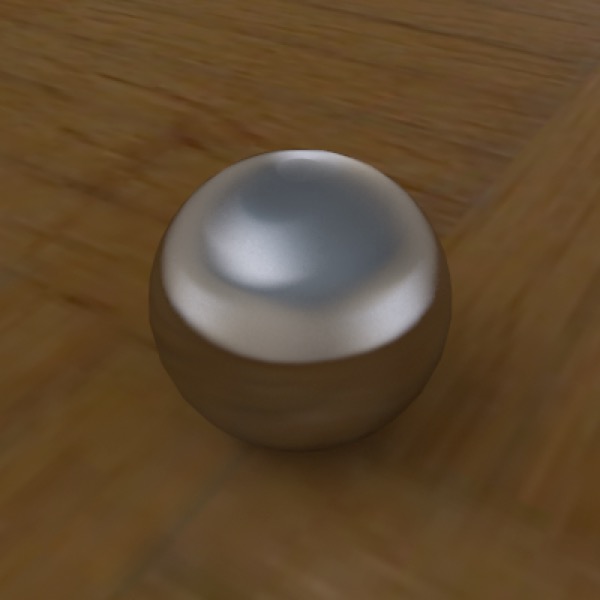
Brushed steel sphere on parquet plane, with HDRI and Radiosity tags used for lighting. Fast, attractive renders with almost no effort.
AI draft: generated from the Cheetah 3D 8.1.1 manual; not yet reviewed by the author.
Using a light probe, light box, or panorama in an HDRI Light object to light a scene often produces excellent results with relatively little effort, and also short render times. With the Cheetah renderer you also need to turn on Radiosity in its render settings (Ambient occlusion is the fast option for HDRI renders); Falcon computes indirect light on its own.
End of AI draft.
Lighting with Emissive Objects
You can light scenes entirely using emissive objects and Radiosity. The important thing is to make sure the camera light is off (if set to auto — the default — it will turn on if there are no lights in a scene). The second problem is preventing blotches, which generally involves setting Rmin to be low enough and Samples high enough.
Note: needs checking in Cheetah 3D 8.1.1: the manual describes Camera light as a plain on/off property (Objects/SceneObjects/Camera); is there still an “auto” default? Rmin and Samples are now in the Cheetah renderer’s Radiosity settings.